Cross-Platform Sharing
Break the boundaries between operating systems. Bubble Share makes it effortless to send files between phones, tablets, and computers.
High-Speed Transfers
Experience lightning-fast sharing with advanced peer-to-peer transfer technology. Share large files in seconds.
Privacy & Security
Your files stay yours and receivers end . Bubble Share works to keep your data safe, private, and lossless.
Lossless File Quality
Whether it's a high-res image, HD video, or an important document. Bubble Share ensures your files stay intact and uncompressed during transfer.
Smart File Organization
Auto-sort your transfers by type (photos, videos, docs, etc.). making it easy to find and manage shared files. No clutter, no confusion.
Bridging Device Gaps
Whether you're moving files from your phone to your laptop or helping a friend on a different OS, Bubble Share connects all your devices into one
smooth sharing ecosystem.
Structurally and page architecture wise the app is similar to to the mobile app, just the UI layout and interaction pattern is adjusted according to the desktop layout


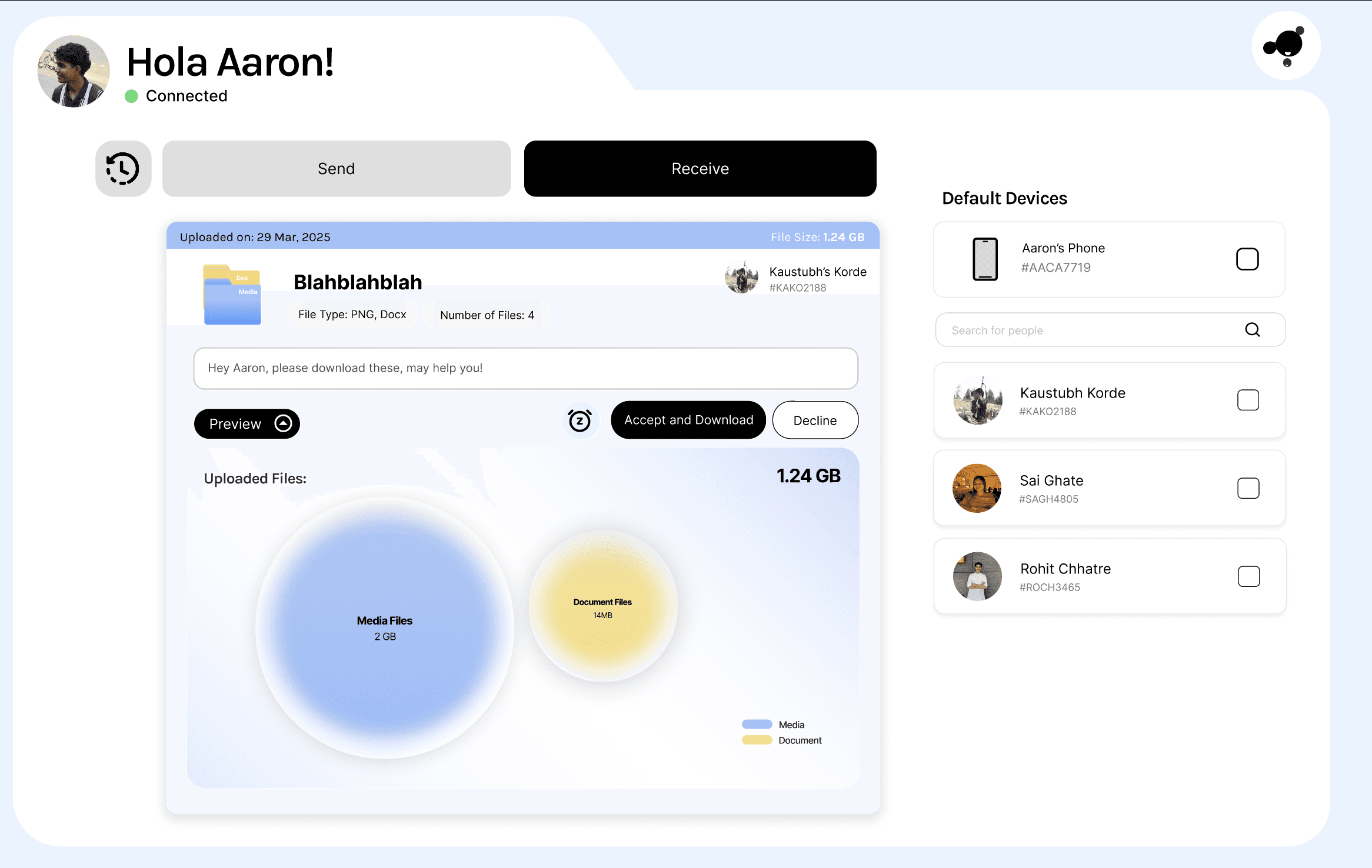

Extremely simple interface with a direct CTA.
Hick's Law: more choices = slower decisions

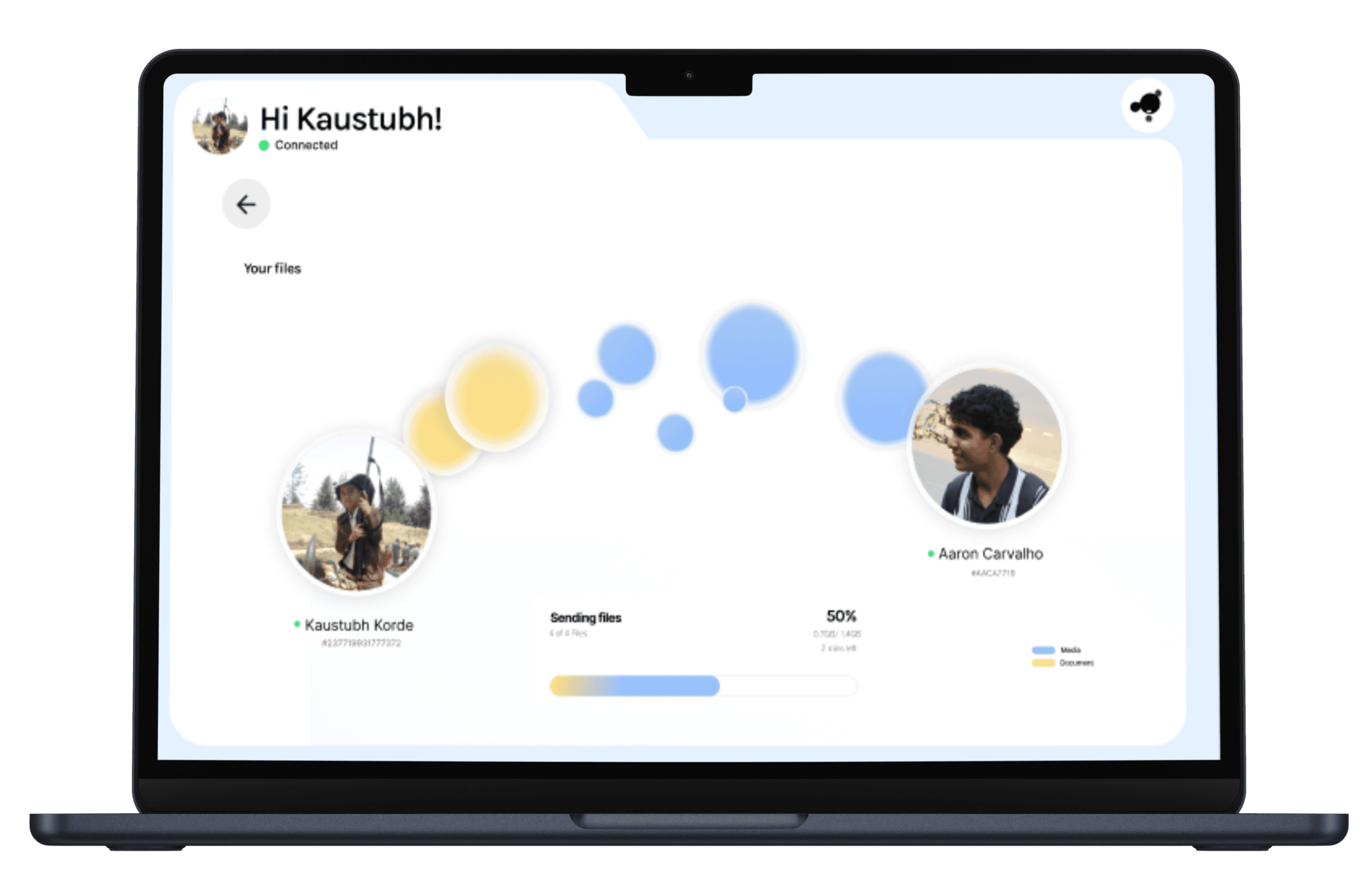
Breakdown of what and how has it been sent.
Representing data with bubbles.
Key Interaction patterns leveraged
Receiver notifications act as gentle nudges, prompting timely responses and ensuring a smooth, uninterrupted file-sharing experience.
Visual cues and progress indicators boost user confidence by clearly showing what to do next and how the transfer is progressing.
Clear confirmations and transfer history help users feel secure and build long-term trust in the system.
A clear fixed or waiting state shows system status and reduces uncertainty while the receiver responds.
A distinct success state provides closure through confirmation and subtle celebration, reinforcing a sense of completion.
Soft bubble visuals and calm animations create a positive first impression, reducing anxiety around file sharing.
Simple drag-and-drop interactions and instant feedback make the file-sharing process intuitive and effortless.
View
Kaustubh’s Korde
#KAKO2188

File Name: Blahblahblah
File Size: 1.24 GB
Uploaded on: 29 Mar, 2025
Media
Doc
Hey Aaron, please download these, may help you!
Start Sending files
Paired Successfully


file name
file name
file name
file name
Download Complete
Your files have been download successfully
Send more files
Open File Location
Aaron has been notified about the files
View Status
Waiting for Approval...
Download will start when Aaron accepts the request

Your files
Connected
Hi Kaustubh!
K


Aaron Carvalho
#AACA7719
Kaustubh Korde
#237719931777372
Document
Media
Sending files
50%
0.7GB/ 1.4GB
2 mins left
4 of 4 Files

Visibility of system status:
The “Connected” label under the user’s name provides clear system feedback that the app is online and ready
Match Between System and the Real World
The language is simple and intuitive — “Send,” “Receive,” “Pair Devices,” “Add People,” and “Choose a file” are familiar phrases.
Recognition Rather Than Recall
All key actions are visually accessible — the user doesn’t have to remember anything.
Drag & drop hint, visible tabs, and clear CTA buttons help reduce memory load.
Flexibility and ease of use
To send to people, there are multiple ways

Match Between system and rea world
Flexibility and ease of use
to send to people, there are multiple ways
Empty files icon derived from real world file
User control and freedom
The user can togle between send and receiving files
Aesthetics and minimalism
No extra point of of interaction is provided other than necessary ones
Visibility of system status:
“Files Uploaded Successfully!” message gives immediate feedback.
Total file size and count shown clearly.
Search bar helps speed up finding people.
QR sharing gives alternate quick method.
Flexibility and ease of use
Users can select/unselect recipients freely.
User Control and Freedom

Information architecture

Scrolling is an natural interaction pattern today.
Leveraging this pattern we introduced another path to the same action of sending the data.
This pull up component, ntoduced default devices and ability to search people to send data


The receive component follows an heirarcey of information disclosure
followed by 4 seprate CTA designed according to the descisions the user might take in the given context.
Preview to see further information, snooze if the messege is of less importance, Accept and decline.
Scoping
Clearly differentiated the features and the functions of the product.
Then understood the scope of the product in terms of
Visibility, Feaseabity,—————-
User flow and Product Flow
The to task flow of the product was created that would match those expectations
Needs of the user were listed down and turned into a task flow of what the user actions would be .
Thinking behind the product design
User-Centered Emotional Design
Traditional file transfers focus on technical efficiency
BubbleShare focuses on human experience and emotional satisfaction
We design for delight, confidence and clarity
Bubbleshare
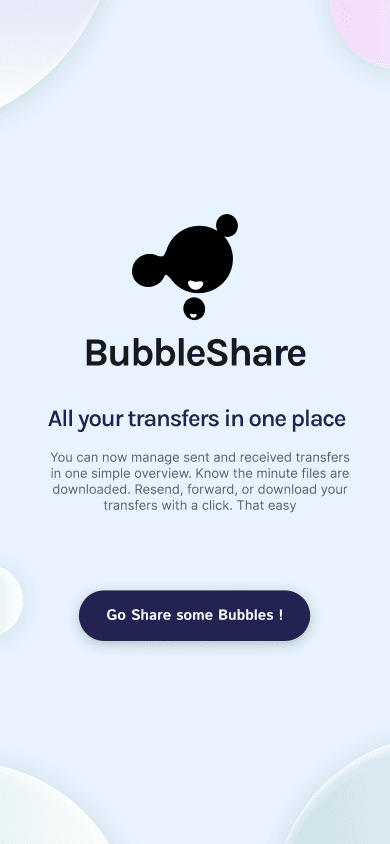
Bubble Share is your ultimate cross-platform file sharing solution, built to make transferring files between devices fast, simple, and seamless. Whether you're using Android, iOS, Windows, or macOS. Send photos, videos, documents, apps, and more across different platforms in just a few taps.




Send and receive history to keep the user informed about each action.
Structure of each tab is such tat first glance gives all the necessary data and the breakdow is available on drop down.
Bubbleshare : Intuitive file sharing ecosystem interaction design project
Project type
Interaction Design
Team
4 designers
My role
Ideation, Motion design, Wireframing
Duration
1 month
What are we solving for
File transfers today are technical, abstract experiences
Progress bars and percentage counters lack emotional connection
The invisible nature of data transfer creates uncertainty and anxiety
Now, in the age of AI, there is an abundance of technical ability for creatin of softwear, but the key differentiator would be tools that visually communicate better and interaction design that would make people feel an emotion and connect with the product
No emotional affordance - Progress bars and percentage counters provide system state but no sense of meaning; they communicate quantity or size of the transferred data, not consequence
What did we come up with
1
Transform file transfers into a visually engaging, intuitive experience.
2
Use the familiar metaphor of bubbles to make the invisible visible.
3
Create an emotional connection through playful, physics-based interactions.
A few technical product features
Key Learnings
It is very diificult to plan and desig for such a small a.
How to structure a product so that the user has multiple ways of navigating to the same feature.
Finally, design does not start with the screen; it starts with questions, multiple questions from the user and business perspective.